
To reduce failed deliveries, fix the information before the driver leaves, tell the customer when you are coming, build routes around the windows you promised, and give every driver the same process at the door. A failed delivery costs you twice: once for the trip that didn't work, and again for the redelivery, refund or apology that follows. During the holidays the causes multiply. Offices close early, customers travel, gifts go to people who aren't expecting them, and drivers are working in the dark by late afternoon. The good news is that most failed deliveries trace back to a short list of causes, and most of those can be fixed in advance.
This guide covers why deliveries fail, what they cost, what to change in your order intake, customer updates and driver process, what to do when nobody is home, and how to learn from the failures that still happen.
Key takeaways
- Most failed deliveries come from five causes: nobody home, bad address details, access problems, late arrivals and wrong or missing items.
- Many failures are decided at order intake, so collect the drop-off contact, access details and holiday hours when the order is placed.
- Customers who get a "driver is near" text with a tracking link are much easier to find at the door.
- Routes should be built around promised windows, not just the shortest path, with overflow capacity ready for peak days.
- Require proof and a failure reason on every stop, then review the reasons weekly and track your first-attempt delivery rate.
Why failed deliveries happen
When you look back at a month of failed stops, the reasons usually fall into a few groups:
- Nobody there to receive it. The customer is out, the office is closed, or the recipient of a gift doesn't know a delivery is coming.
- Bad or incomplete address details. A missing apartment number, a suite on the wrong floor, a business park with six buildings and one street number.
- Access problems. Gate codes, locked lobbies, loading docks with set hours, and reception desks that won't sign for anything.
- Arriving outside the window. The customer was home from two to four, and the driver arrived at five.
- Wrong or missing items. The order arrives short, so the customer refuses it or the driver has to come back.
The holiday season makes each of these more likely. Volume is higher, routes are longer, seasonal drivers don't know your area yet, and customers are busier and harder to reach. The National Retail Federation forecasts November and December 2026 retail sales to grow 4.2% over 2025, and expects retailers to hire between 325,000 and 375,000 seasonal workers. More orders and more new staff leave more room for mistakes at the door.
What a failed delivery really costs
The cost of a failed delivery is bigger than the fuel for one wasted stop. Count all of it:
- The second trip. A redelivery takes a slot on tomorrow's route that could have carried a paying order.
- Driver and dispatcher time. Calls to the customer, calls to dispatch, and the time spent working out what to do next.
- Refunds and credits. Perishable orders, flowers and event deliveries often can't be redelivered at all, so the order becomes a refund.
- Customer service. Every failed or disputed delivery creates a "where is my order" conversation.
- Lost repeat business. A customer whose holiday order didn't arrive may not order from you again.
You don't need an industry average to make the case. Pull last December's failed and redelivered orders, multiply by what each one cost you in driver time, refunds and credits, and you have your own number to improve on.
Fix it at order intake
Many failures are decided when the order is created. If the driver has the wrong information, no amount of skill at the door will save the delivery.
- Verify the address. Check that the address is complete and deliverable before the order is accepted. Canada Post calls address verification one of the best ways to reduce failed deliveries, and the same applies to local delivery: an autocomplete address field at checkout catches most typos.
- Capture the right contact. For gifts and office deliveries, the person who placed the order is often not the person receiving it. Collect a name and phone number for the drop-off contact, not just the buyer.
- Ask for access details up front. Add a field or prompt for gate codes, building entrances, floor and suite numbers, and where to leave the order if no one answers.
- Check holiday hours for business addresses. If you deliver to offices, confirm they will be open on the delivery date. The week between Christmas and New Year's is where corporate drops most often fail.
- Stop retyping orders. Every time an order is copied from one system to another, an address can change. In FULFLLD, orders can come in from Shopify, Olo, Toast, your POS or the API, or through a bulk import from an Excel template that flags errors before you click Import Orders.
Tell customers when you're coming
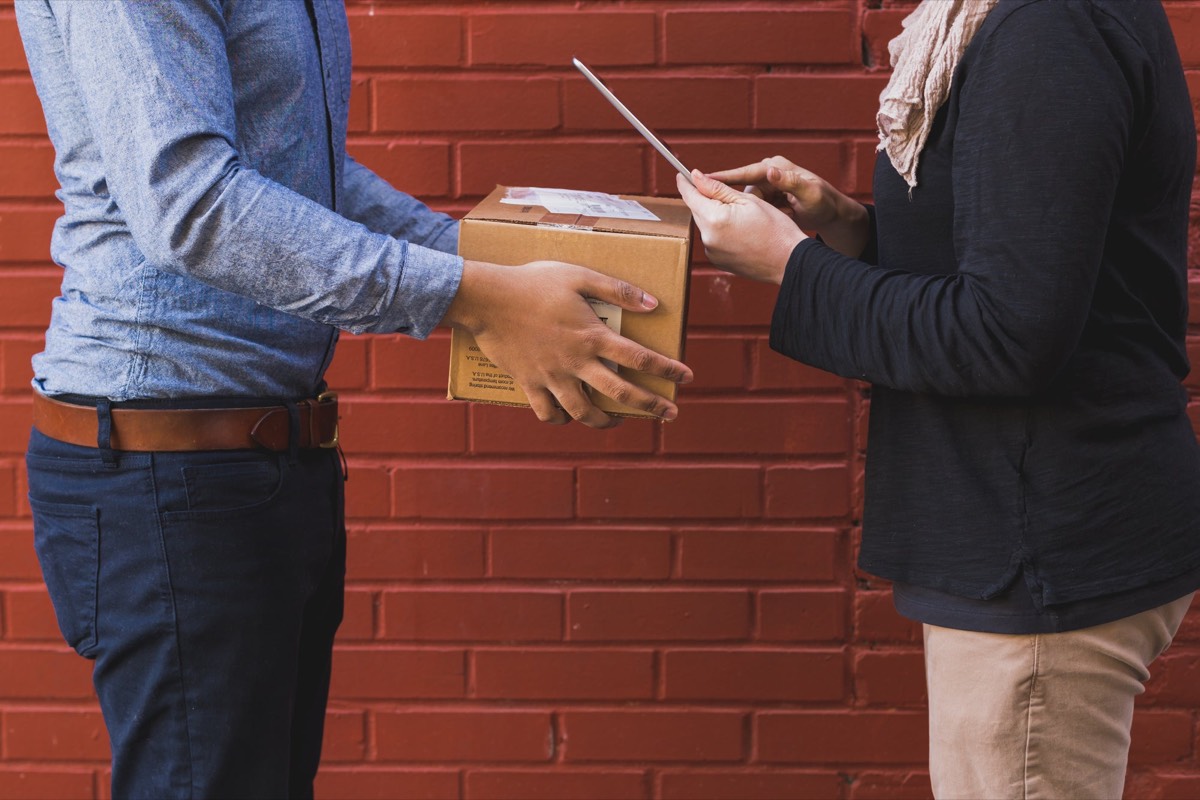
A customer who knows the driver is ten minutes away is far more likely to be at the door. A customer who has heard nothing since they placed the order is not.
With FULFLLD's delivery tracking and customer SMS, you build SMS rules once and they run on every order. Texts can go out when an order is created, assigned, picked up or completed, when the driver is near, when the driver is a set number of stops away, or when an order is running late by a set number of minutes. Each message can include a branded tracking link, and you write it in your own voice using placeholders like CustomerName, DriverName, OrderETA and TrackingURL.
For holiday gift deliveries, think about who gets the text. Rules can go to the pickup or drop-off contact, so the recipient can be told a delivery is on its way even if they didn't place the order. Our post on delivery notifications that cut WISMO calls covers which messages to send and when.
Plan routes around the windows you promised
Late arrivals turn into failed deliveries when the customer gives up and leaves. Build routes around the delivery windows you promised, not just the shortest path. In FULFLLD's route optimization tool, you select orders on the map or draw a polygon around a cluster, click Create, and FULFLLD builds an optimized route. If a stop changes during the day, open the route card, drag stops into a new order and save, or remove an order from the route.
On the busiest days, don't overload your own drivers to the point where every route runs late. For point-to-point orders, you can send overflow to Uber Direct or DoorDash Drive from the same order card and track it alongside your own fleet.
Give drivers a clear process at the door
Seasonal drivers are where holiday delivery processes break down. They don't know which buildings have a back entrance or which customers want the order left with a neighbor. Make the process the same for everyone:
- Put the instructions on the order. Notes, access codes and contact details should be on the order in the driver app, not in a text thread.
- Keep drivers' location on. With location set to Always Allow, dispatch can see every driver on the live map and customers get accurate ETAs.
- Check items before leaving. For large or multi-item orders, add an item checklist so the driver confirms every item before completing the delivery. Short orders are a common reason customers refuse a delivery.
- Call before giving up. A quick call or text to the drop-off contact from the doorstep saves many stops that would otherwise fail.
Decide what happens when nobody is home
Some customers won't be there no matter how well you plan. The worst outcome is a driver making it up on the spot. Write a no-answer policy before peak season and put it in driver training:
- Safe place. If the customer gave a safe-place instruction, leave it there and take a photo that shows the location.
- Neighbor or reception. Decide whether drivers may leave orders with a neighbor or building reception, and record who took it.
- Bring it back. For high-value, age-restricted or temperature-sensitive items, the order should come back rather than be left outside.
- Reschedule quickly. Contact the customer the same day with a new window, and put the order at the front of the next route rather than the back.
Whatever you choose, apply it the same way on every route so customers get a consistent answer.
Capture proof and a reason on every stop
Some deliveries will still fail, and some successful ones will be disputed. Both are easier to handle with a record.
With FULFLLD's proof of delivery, you switch on Signature, Photo of Delivery, Add Notes or Item Checklist when you create an order, and the driver can't complete that delivery until each requirement is met. Drivers mark every stop as Success or Failure, and a failure needs a reason. On routes, the timeline shows green dots for successful stops and red for failed ones, and route summary emails carry stop-level proof and a downloadable .xlsx report.
A photo of the package at the right door settles most "it never arrived" claims, which are more common during the holidays when packages sit outside longer.
Track your first-attempt delivery rate
The simplest measure of failed deliveries is your first-attempt delivery rate: the share of orders delivered successfully on the first try. Work it out weekly from the stops your drivers marked Success or Failure, and watch the trend through the season.
Failure reasons are only useful if someone reads them. Once a week through the holidays, pull your failed stops and sort them by reason:
- If most are "customer not available," look at your notifications and windows.
- If most are address or access problems, look at what your order form collects.
- If they cluster in one zone or one time of day, look at how those routes are built.
- If they cluster with one driver, it's a training conversation, not a software problem.
Set up a Slack alert for late orders too, so your dispatch team sees delays as they happen and can warn the customer before a late delivery becomes a failed one.
Holiday failed delivery checklist
- Verify addresses and collect a drop-off contact name and phone number on every order
- Ask for gate codes, entrances, floors and suites at checkout
- Confirm holiday hours for office and business deliveries
- Send "driver is near" and "running late" texts with a tracking link
- Build routes around promised windows, with overflow ready for peak days
- Require a photo on every drop and a checklist on large orders
- Write a no-answer policy for drivers
- Review failure reasons and your first-attempt delivery rate weekly until the season ends
For the wider capacity plan, see our earlier post on peak season delivery planning.
Frequently asked questions
What is a failed delivery?
A failed delivery is any stop where the order doesn't reach the customer on that attempt. The driver can't hand it over or leave it safely, so it has to come back, be redelivered or be refunded.
What are the most common reasons for failed deliveries?
The most common reasons are nobody being available to receive the order, incomplete or wrong address details, access problems such as gate codes or closed offices, arriving outside the promised window, and wrong or missing items that lead the customer to refuse the order.
How do you reduce failed deliveries during the holidays?
Collect the drop-off contact and access details at checkout, verify addresses, confirm business hours, text customers when the driver is near or running late, route around promised windows, keep overflow capacity ready for peak days, and give drivers a written process for when nobody answers.
What should a driver do when nobody is home?
Follow a written policy: use the customer's safe-place instruction with a photo if there is one, leave it with an approved neighbor or reception if your policy allows it, or bring it back for high-value or perishable items. Then mark the stop as failed with a reason so it can be rescheduled.
How do you measure failed deliveries?
Track your first-attempt delivery rate, which is successful first attempts divided by total orders, and review failure reasons each week. Sorting failures by reason, zone, time of day and driver shows you where to fix the process.
Want to see how this would work on your own orders? Book a demo and we will walk through it with your real delivery volume.